
Customer Portal
// 03.03.2023
The Customer Portal is a C# ASP.NET Core application providing APIs and CIAM functionality, enabling customers to manage their profile, view policies and download documents — all in one place.
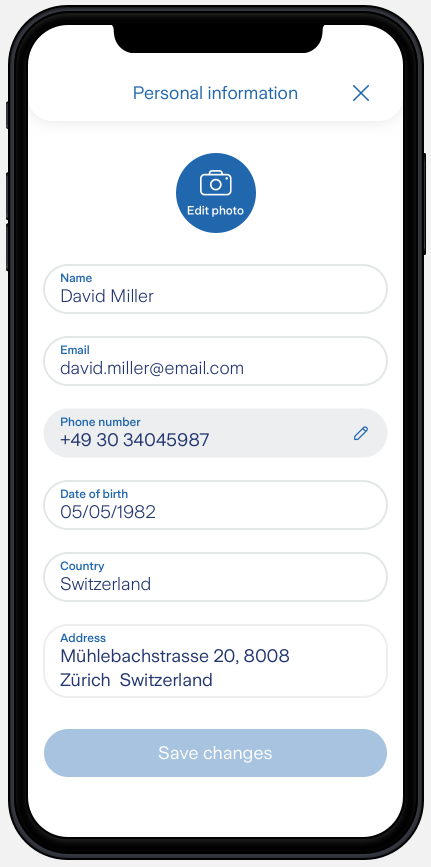
Edit your profile on the app:
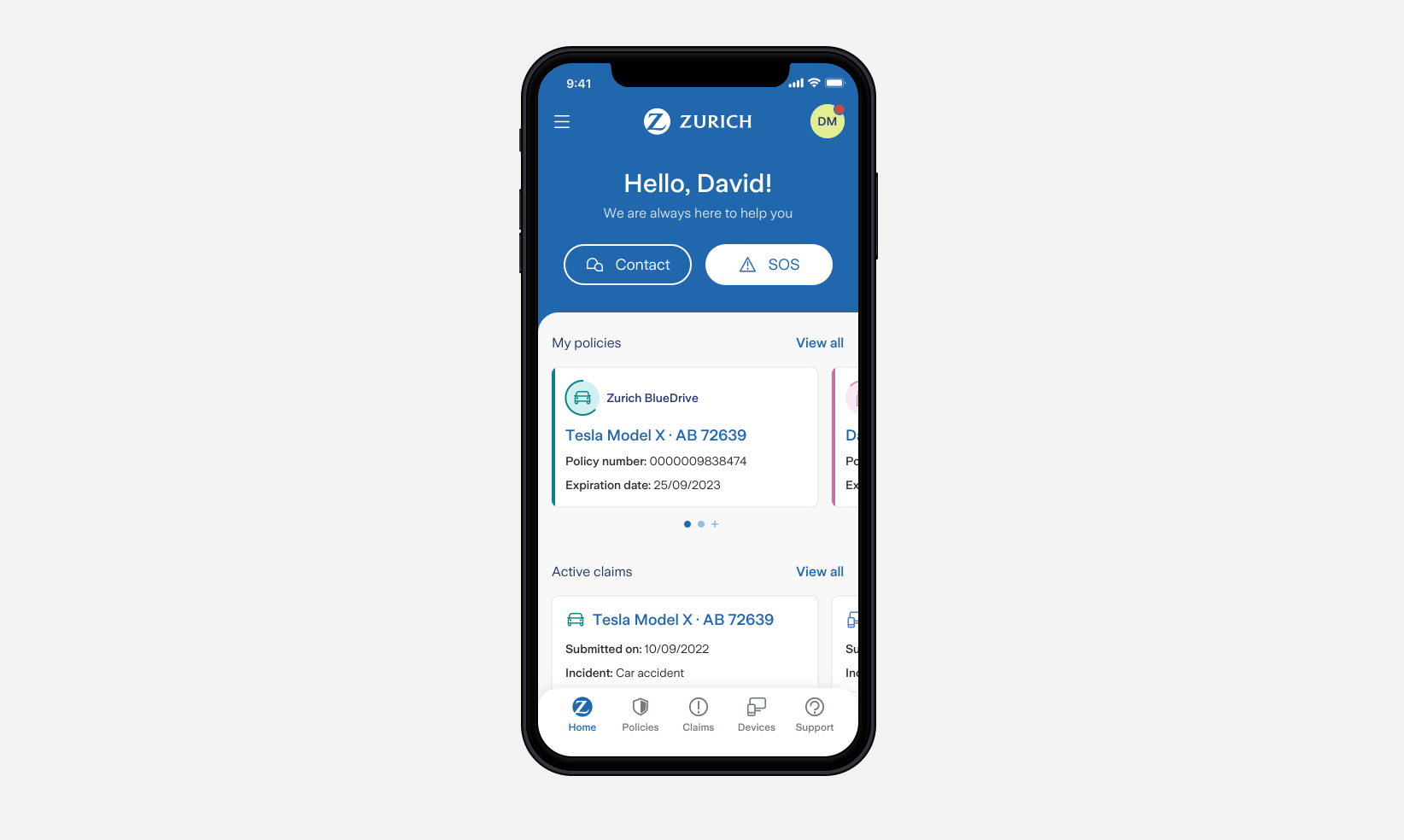
Check your policies on the app:
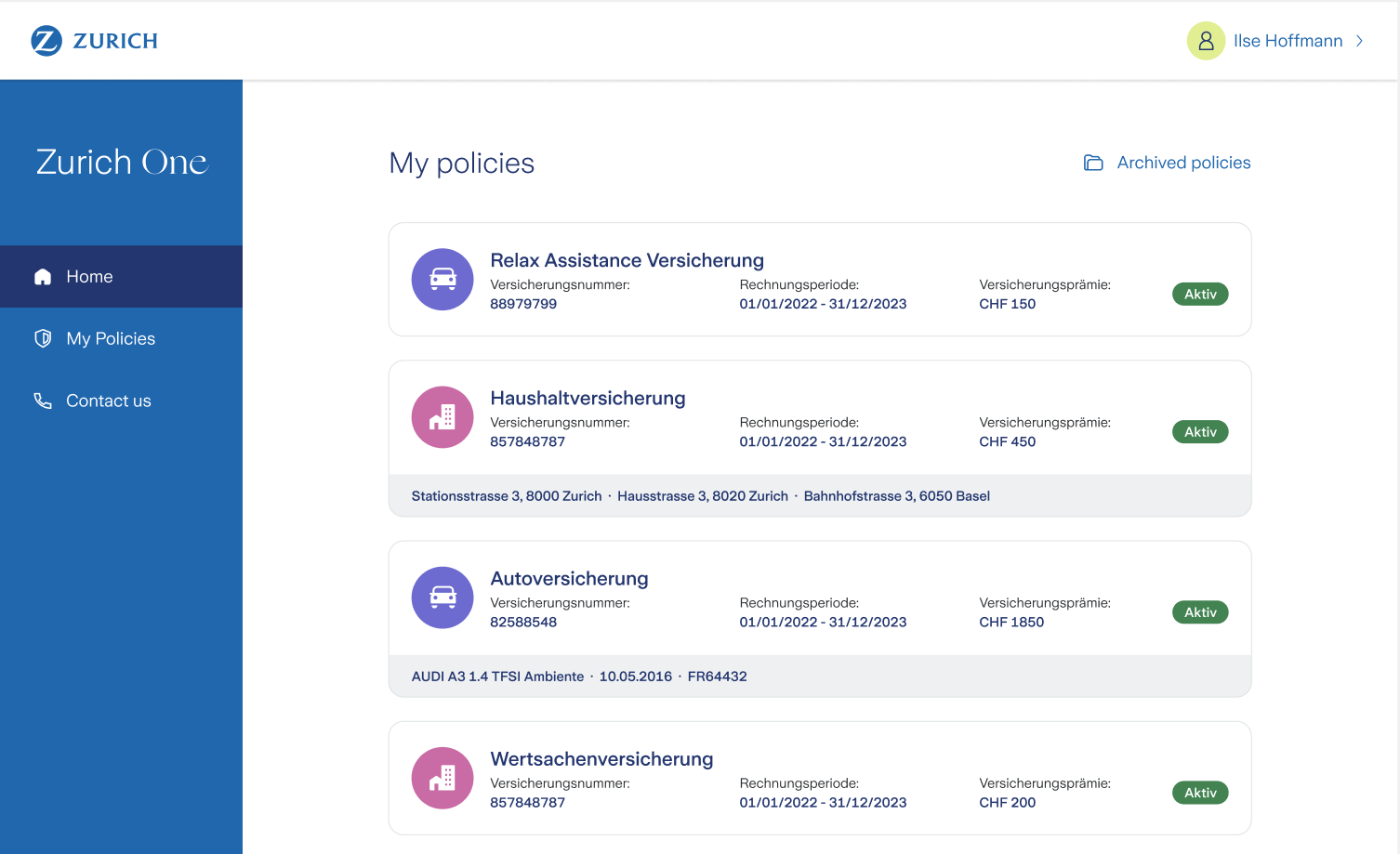
Check your policies on portal website:
 —
—
What it’s about
The portal gives customers a single entry point to interact with Zurich:
- Register and log in to the portal
- View and edit their profile
- See their active and archived policies and financial products
- Download policy documents
- See their active and past claims
The backend exposes REST APIs consumed by a portal UI delivered by a separate team. Our responsibility was to build, maintain and evolve those APIs and make sure all the data from various internal systems flows together correctly.
Infrastructure journey: from AKS to Azure Web App
Initially the application ran on a shared AKS cluster. In theory a solid setup — but in practice, the platform team’s restrictions were overly rigid and slowed us down significantly without a clear benefit.
This frustration turned into a learning opportunity: we evaluated alternatives and migrated to an Azure Web App, completely removing the Docker layer, Helm charts and all the AKS-related complexity.
Lesson learned: If the “not so” golden path for hosting apps is pain, people will find another tool.
Networking, private endpoints, routing tables and DNS entries were handled by a dedicated infrastructure team, while we managed:
- Keyvaults
- Azure SQL DBs
- Blob Storages
- Service principals & RBAC assignments
- Storage queue
- Azure functions
— all defined in Terraform.
Integrating internal systems
A major part of the work was integrating a range of internal systems:
- Dynamics 365 (CRM) via REST — to fetch and update customer profile data
- Policy systems — to display active policies and provide downloadable documents
- Portal UI — the frontend team needed a set of endpoints to register users, send events, fetch and update profile data, list policies and claims, etc.
Each integration came with its own quirks: different authentication mechanisms, inconsistent data models and varying reliability. Mapping all of this into a clean API surface was one of the core engineering challenges.
Identity & Access Management: from Keycloak to Auth0
We started with Keycloak as the Identity Provider (IDP). However, another team built a facade on top of Keycloak — an abstraction layer that was supposed to simplify things but instead introduced complexity, instability and ownership confusion.
It ultimately failed to meet the needs of all clients.
The solution: remove the facade entirely and migrate directly to Auth0. This gave us a reliable, well-documented and directly controllable IDP without the maintenance burden of a custom abstraction layer.
Lesson learned: Abstractions over third-party tools can work — but going directly to the source is often the better call.
Key takeaways
- Shared platforms can become bottlenecks — those shared services need to be very flexible and support self-service.
- Integrating many internal APIs requires discipline around error handling, data mapping and versioning
- Identity is hard — choose your IDP carefully and avoid unnecessary abstraction layers
- Terraform for infrastructure as code pays off quickly in a team setting